Dust, Damp and a Mega Drive: A Survival Plan for the Console in Your Mum's Loft
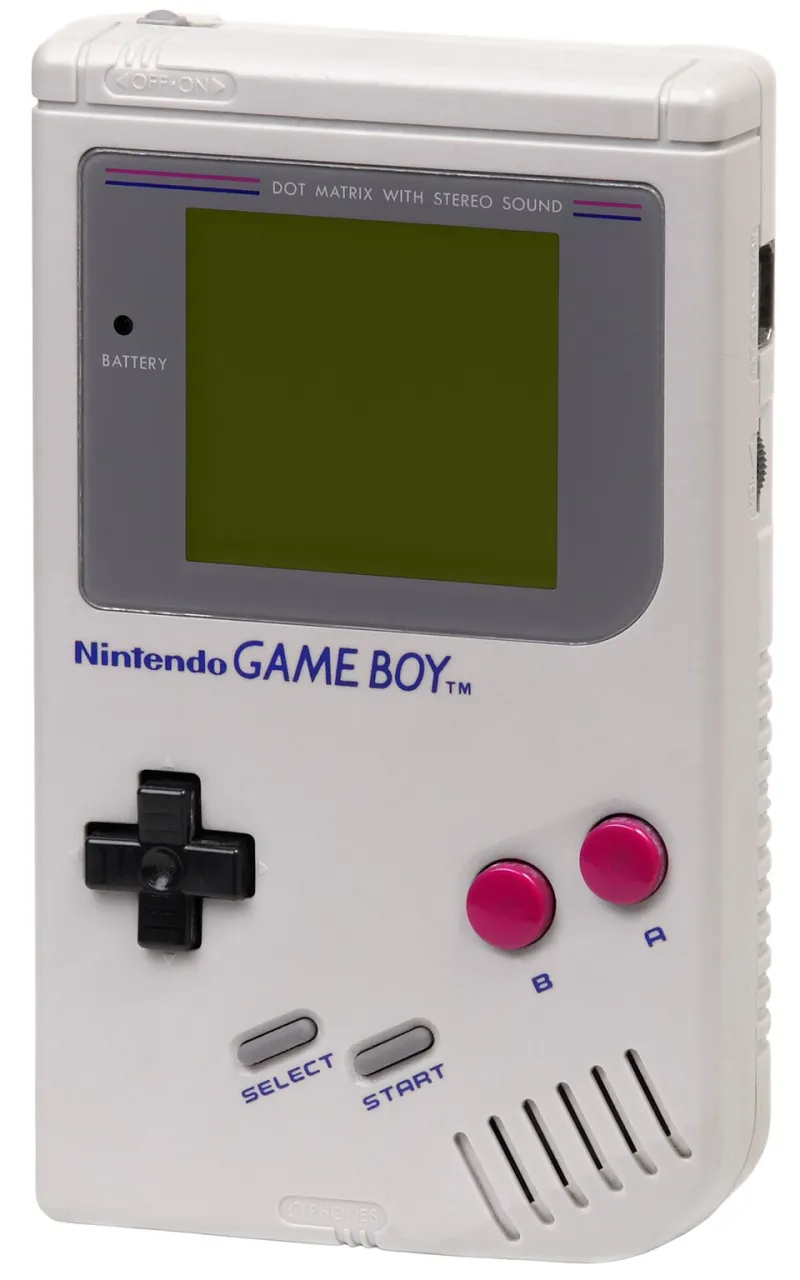
Photo: Evan-Amos, Public domain, via Wikimedia Commons
Every family has one. Maybe it's a Mega Drive in a bin bag next to the Christmas decorations, or a PS2 wedged behind a water tank, or a GameCube in a box marked 'LEADS?' in biro. Your mum said she'd keep it "for later" and, to be fair to her, she did. Later has now arrived.
The good news is that most loft consoles come back. The better news is that a fair few don't, and knowing which one you're dealing with before you spend a Saturday on it is the whole game. Consider this your pitch-side briefing.
Rule One: It Comes Down Before the Spare Room Gets Tidied
This is the rule people break, and it's the one that stings. You go up the ladder, you find the console, you get overexcited, and you start clearing a permanent home for it on the good shelf. Meanwhile the thing hasn't been powered on since the first Obama term and may well be a damp brick.
Get it down, get it tested, then decide where it lives. Not the other way round. Nothing is sadder than a proudly arranged retro corner with a console that dies on the second power-up.
The Ten-Minute Loft Inspection
Take a torch and a pair of gloves. Not because of spiders, although obviously because of spiders.
- Look at the cardboard before you look at the console. Water staining on the box lid tells you more than anything inside it will. Rings, tide marks, sagging corners: that's moisture that has been sitting on your childhood.
- Check the ceiling above it. A loft that leaks onto a stored box once a winter is a loft that's been quietly steaming your console for a decade.
- Sniff it. Musty is survivable. Wet basement is not.
- Mind the droppings. If mice have been at it, don't hoover it dry and don't shake it out in the kitchen. Bag it, deal with it outside, wash your hands properly.
The loft itself is a brutal environment: freezing in February, roasting in July. Plastic expands, contracts, and goes brittle, which is why the first thing you'll often break is a clip or a flap rather than anything electrical.
Damp, Rust and the Battery Question
Once it's downstairs, open the battery compartment or cartridge slot first. Old AA batteries left in a controller are the single most common cause of loft casualties, and the crystalised gunk they leave behind eats through contacts given half a chance.
Then look for white powdery bloom on any exposed metal, rust on the RF shield, or a greenish crust around the ports. Some surface corrosion cleans up fine with a bit of contact cleaner and a cotton bud. Corrosion that's tracked across a circuit board is a different conversation.
While you're at it, hunt down any cartridge or disc-based game with a save battery. A dead CR2032 means your 98% save file is gone, which is a small grief, but a leaked one means the cartridge is now a paperweight.
That Yellowing Is Not Scorch Marks
People panic at a beige console that's gone the colour of a digestive biscuit. Deep breath: that's the bromine flame retardant in the ABS plastic reacting to light and heat. It's ugly, it's normal, and it is not fire damage.
Actual scorch marks are different. Look for a brown or black heat scar around the power jack, a cracked or melted power supply, or a fishy, chemical whiff when the unit warms up. That last one usually means capacitors are leaking. If the plug or PSU looks damaged, don't plug it in to "see what happens" — a replacement brick for most of these consoles is a tenner on a certain online marketplace, and a house fire is not.
Also: check the fuse in the UK plug. Sometimes the whole saga is a 3A fuse and a guilty silence.
Cleaning It Without Making It Worse
- Never the dishwasher. Not once, not "but the video said".
- Never bleach or kitchen spray. It clouds the plastic and does nothing for the electronics.
- Do the shell separately. Warm water, a drop of washing-up liquid, a soft toothbrush in the grilles, air dry fully before reassembly.
- Isopropyl alcohol for contacts and pads. Cotton buds, patience, no flooding.
- Magic erasers are abrasive. They'll lift grime and, if you're heavy-handed, the texture off the casing along with it.
Yellowed plastic is not dirty plastic. If you want to go down the retrobright rabbit hole, that's a separate weekend and a separate article.
The Cable Situation Is Where Most People Quit
A modern telly in 2026 has roughly one HDMI port free and no interest in your SCART lead. Your options, in order of quality:
- RGB SCART into a CRT, if you've got one. Still the best picture for sixth-gen stuff and it costs nothing if the lead is in the bag.
- Composite (the yellow, white and red trio). Fine. Soft. Nobody died.
- A decent upscaler for HDMI. Pricey, but no lag and no tears.
- A cheap HDMI adapter, usually £8 to £20. It'll work. It'll also stretch a 4:3 image to 16:9 like it's 2007 and everything will feel slightly fuzzy. For a Friday night with mates, that's genuinely acceptable.
While you're at it, factor in a memory card, a second controller and one game you actually know is a banger. Or don't — a console with no games is just a very heavy paperweight with a nice logo.
Doing the Sums: Twenty-Quid Fix or Nostalgia Tax
Here's the honest maths. A power supply and a video lead will set you back about £20 to £30 for most machines, and that's a fix worth doing. A dead disc drive, a leaking cap set, or a board that's been damp for a decade is a project, and projects cost time as well as money.
Compare it against the alternative: paying £90 to £150 for a "refurbished, tested" one from a specialist, or £30 for an "untested, no returns" gamble online, or a fiver at a car boot from a bloke who definitely knows it doesn't work. Also worth checking the local charity shops and CeX, where the odd bargain still slips through.
If the fix is under £40 and you can hold a screwdriver without hurting yourself, do the fix. If it's going to be a re-cap, a new laser and a hunt for a proprietary power brick, be honest about whether the nostalgia is for the console or for the summer you played it.
Test It on the Kitchen Table, Not the Good Shelf
One game. One working telly. One power-up. Give it ten minutes before you start planning a retro night with the lads. If it boots, brilliant, you've won a free console. If it doesn't, you've lost an afternoon rather than a spare room.
And if it does boot, be warned: the first person you tell will immediately ask if they can come round. Clear the diary.